Claude Code: How to Build a Customer Support AI Agent That Actually Resolves Tickets
When developing an AI agent for customer support, your goal should be to deliver real ticket resolutions, not just draft generic summaries. With Claude Code, and the right combination of data, prompt engineering, and workflows, you can achieve this. This guide provides a practical walkthrough to create a reliable, production-ready AI support agent.
We’ll focus on robust solutions for reliability, routing, and tone. The patterns outlined here are designed to integrate smoothly with enterprise environments, eliminating the need for extensive reengineering.
Technical Architecture for Claude Code in the Customer Support Stack
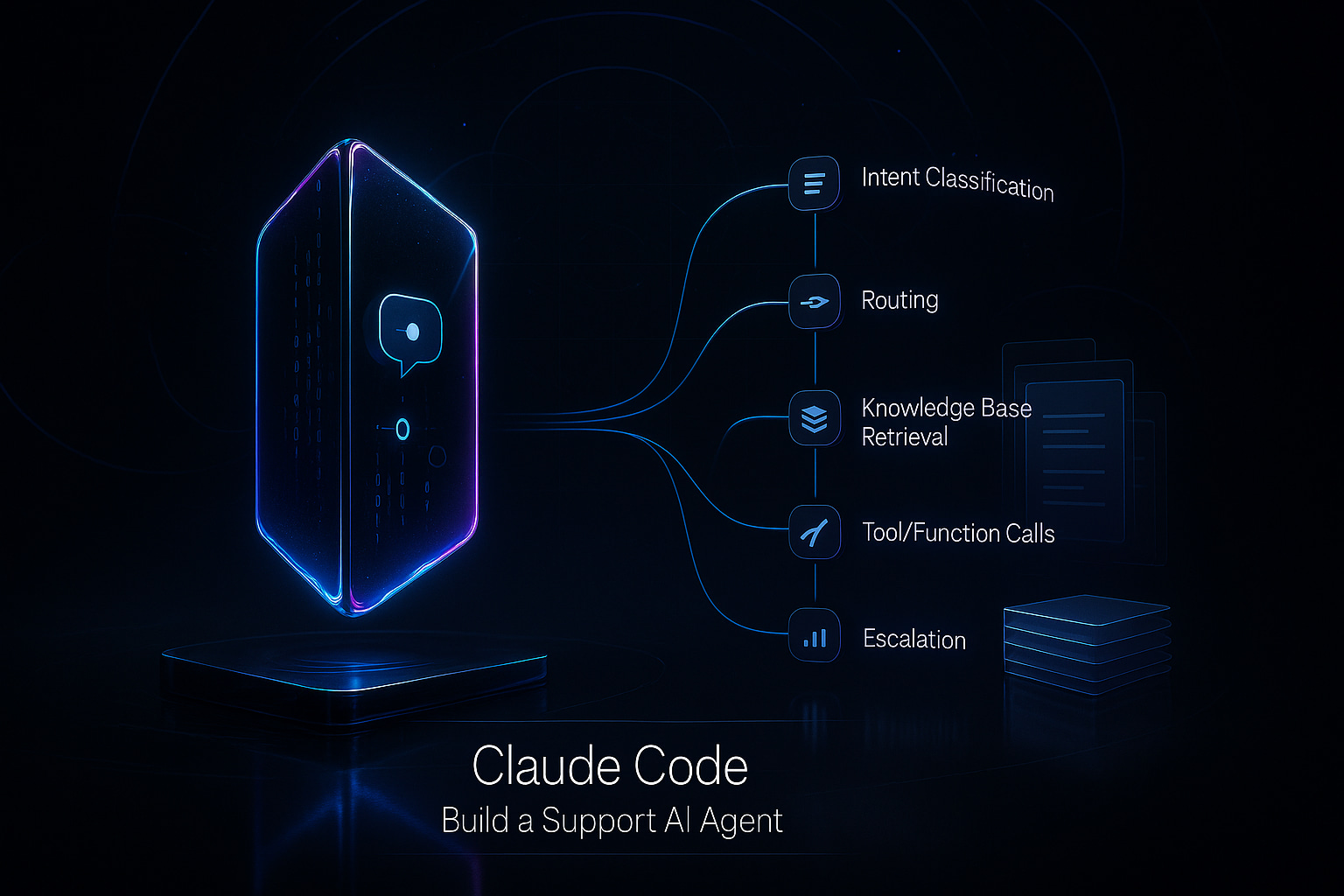
Effective AI agents require a streamlined route from incoming message to issue resolution. Maintain simple, well-defined, and observable components.
- Channels: Chat, email, voice, and forms feed into a unified entry point.
- Router: Manages intent recognition, language detection, and priority tagging.
- Orchestrator: Integrates calls to Claude Code, external tools, and document retrieval.
- Tools: Connects to order management, billing, subscription information, and status APIs.
- Retrieval: Accesses product documentation, previous tickets, runbooks, and changelogs.
- Verifier: Conducts pre-send validation, compliance checks, and citation verification.
- Ticketing: Updates CRM and helpdesk platforms with complete logs of interactions.
Define data contracts clearly and ensure responses are structured for seamless auditing and analytics.
Preparing Data for Claude Code: Using Internal Product Language Effectively
Generic training data often fails to capture the distinctive language and nuances of your product. Begin by standardizing your naming conventions and workflows. Then, map out different types of requests (intents) to product areas and user permission levels.
- Catalog all knowledge sources, citing both content owners and review dates.
- Standardize terminology and acronyms, including noting any deprecated labels.
- Include metadata such as version numbers, regions, and subscription tiers.
Your AI agent should communicate in your organization's authentic product language. For more on how to train the AI on your specific product terminology and ensure a consistent tone across all teams, explore these best practices.
style_guide : \{ voice : direct, jargon_to_use : \[ workspace, role, seat \], jargon_to_avoid : \[ portal \], formatting : steps first then note \}
Prompt Design and Tool Integration: Keeping Your Claude Code Agent Consistent
Effective prompt design is critical, it defines the scope, available tools, and scenarios for escalation or refusal. Provide clear instructions for citing sources and when to escalate to a human agent. Use short directives that function reliably in production environments.
system : You are ACME Support. Resolve tickets using tools and KB. If information is missing, clarify with the user. If risk is detected, escalate. Always cite source IDs.
Design tools with clear input and output formats. Modular, composable functions work best.
tool get_subscription ( email : string ) -> \{ plan : string, renews_on : string, seats : number \}
Guide the agent to ask precise, single-step clarifying questions.
User : Refund my Pro plan. Assistant : What is your ACME email for the subscription?
Request JSON-structured responses for deterministic routing and analytics.
assistant_format : \{ intent : string, needs_clarification : boolean, actions : \[ string \], reply : string, citations : \[ string \] \}
Retrieval Strategies: Providing Accurate and Up-to-Date Responses with Claude Code
Your AI agent should reference the most current information available, not outdated data. Combine semantic search with keyword matching, and prioritize recent and version-relevant materials.
- Organize documents by headings and process steps, rather than arbitrary sizes.
- Catalogue metadata like product, version, language, plan, and document owner.
- Re-rank results based on freshness, especially for release notes and outages.
- Maintain concise, approved answers for high-frequency questions.
search_kb ( query : cancel Pro trial, filters : \{ product : Pro, version : >= 3.2 , locale : en \}, top_k : 6 )
Ensure Claude Code always cites source IDs in its answers. If no high-confidence results are found, instruct the agent to refer the ticket to a human support representative.
Quality Control: Using Verifiers and Audits with Claude Code
Avoid sending unchecked draft responses to customers. Implement a verifier stage to validate facts, company policy, and tone before any reply leaves the queue. This minimizes the risk of poor responses making it to your customers.
Explore in-depth strategies to add verifier checks for support answers. Also, establish routines to audit AI-led support conversations by topic and outcome.
verify_answer ( draft , checks : \[ no unsupported refunds , all steps executable , citations present \] ) -> \{ ok : boolean , reasons : \[ string \] \}
If an answer fails verification, escalate the case immediately, providing the draft and detailed reasons to ensure a quick, informed handover to a human expert.
if ! ok \{ escalate ( ticket_id , draft , reasons , evidence : citations ) \}
Measuring Success: Key Metrics for Claude Code Customer Support Agents
Choose metrics that directly reflect customer experience and operational risk. Monitor these from the outset to ensure you are driving real value.
- First Response Time: Duration to the first response that assists the customer.
- Containment Rate: Percentage of tickets resolved without any manual intervention.
- CSAT: Customer satisfaction scores, broken down by channel and intent.
- Escalation Quality: Completeness of information provided during transfers to human agents.
- Answer Accuracy: Frequency with which verifier checks are passed.
- Cost per Ticket: Total spending per resolved ticket, including model usage and data retrieval costs.
Set specific performance thresholds for each intent. For example, routine tasks like password resets should aim for high automation, while complex issues like billing disputes should favor prompt and well-documented escalation.
Deployment Considerations: Choose Flexibility and Visibility for Your Claude Code Agent
Integrate the AI agent within your existing customer support system. Avoid rigid, inflexible tools that do not provide clear visibility of your prompts and activity logs.
- Intercom: Offers broad channel support and built-in routing, with limited custom workflow depth for B2B scenarios.
- Typewise: Natively integrates with your CRM, email, and chat. It mirrors your brand’s voice and reduces response times, prioritizing privacy and transparency.
- Zendesk AI: A familiar option for large support teams, though some features may be tightly integrated and less portable.
- Ada: Good for chat automation, but may need substantial tuning for complex or nuanced tickets.
- Homegrown: Offers complete flexibility and cost control but requires ongoing internal maintenance.
Pick the option that allows you to easily transfer or modify your prompts, retrieval, and verifier logic.
Typewise ensures transparency and user control. You retain authority over your prompts, data access rules, and tone guidelines. The platform fits into your existing processes, allowing incremental rollout of automation without the risks associated with disruptive migrations.
Operating Playbook: Rolling Out a Claude Code Customer Support Agent
Begin with a focused rollout and scale thoughtfully based on results. Start with a limited scope and gradually increase the range of inquiries (or intents) your AI agent can handle. Regularly review and manage changes to the system.
- Launch with three defined intents and clear refusal protocols.
- Route all outgoing draft responses through a verifier for the initial two weeks.
- Analyze failures by root cause, updating prompts and workflows, not just content.
- Broaden the agent’s coverage only when performance metrics are consistent across shifts and geographies.
- Refresh the knowledge index at every product release or pricing change.
Keep humans engaged in the review loop, and reward team members who contribute effective prompt updates or improved documentation.
release_checklist : \[ index changelog , update price table , verify macro prompts , run smoke tickets \]
Troubleshooting Common Issues in Claude Code Customer Support Agents
The most frequent problems stem from outdated data or ambiguous prompts; others arise from missing integrations or insufficient verification.
- Vague replies: Refine prompts and require the agent to enumerate actionable steps first.
- Policy inconsistencies: Introduce a policy reference and operational checklists.
- Incorrect product paths: Ensure retrieval is tagged with version and plan details.
- Repeated clarification requests: Limit clarification attempts, then seamlessly hand off to a human agent.
Document every fix as a repeatable test case, and rerun your suite whenever updating content or procedures.
If you want to accelerate your path from concept to a production-ready support AI agent, consult with Typewise. Our team can help design effective prompts, set up verifier checks, and integrate your toolset so your Claude Code agent delivers real ticket resolutions directly in your environment.
FAQ
How does Claude Code ensure accurate ticket resolutions?
Claude Code uses strict prompt engineering and data integration to accurately resolve tickets. It emphasizes validation checks through verifiers and ensures that ticket responses are consistent with company policies and up-to-date information.
What makes Typewise's integration beneficial for Claude Code agents?
Typewise integrates seamlessly with existing CRMs and communication channels, prioritizing data privacy and transparency. It allows flexibility and maintains the brand's voice, ensuring AI agents operate within defined parameters and users retain control over data access.
Why is prompt design critical for AI customer support agents?
Prompt design determines the effectiveness and consistency of AI responses. Poor design can lead to vague or inaccurate outputs, increasing operational risks and customer dissatisfaction, whereas precise prompts streamline communication and reduce misinterpretation.
How important is data freshness in AI ticket resolution?
Data freshness is crucial for ensuring that AI responses reflect current company policies, product versions, and service conditions. Stale or outdated data can mislead customers and potentially escalate tickets unnecessarily, increasing operational costs.
What is the role of verifiers in Claude Code's workflow?
Verifiers act as a quality control mechanism, checking draft responses for accuracy, compliance, and adherence to tone guidelines. They mitigate the risk of incorrect or non-compliant information reaching customers, maintaining the integrity of support interactions.
Can AI agents fully replace human support agents?
AI agents are tools that enhance efficiency by handling routine inquiries and automating simple tasks. However, they can't replace the nuanced understanding and judgment of human agents, especially in complex or sensitive situations where empathy and critical thinking are required.
Why is it essential to audit AI interactions in customer support?
Regular audits of AI interactions help identify patterns of failure or success, ensuring continuous improvement. They also expose potential gaps in training data or prompt design, enabling proactive adjustments before issues escalate.
What are the challenges of deploying a homegrown AI agent?
Homegrown AI solutions offer full customization but come with the burden of ongoing maintenance and potential scalability issues. Ensuring continuous updates and improvements requires substantial resources and expertise.
How does Typewise enhance privacy in AI customer support?
Typewise prioritizes user control over data, ensuring secure handling and transparency throughout the customer support processes. Its privacy-centric approach allows businesses to manage sensitive customer information without risking exposure or misuse.