
Conversational Memory in Support: Preserve Context Across Channels Without Creeping Users Out
Customers naturally switch between channels while seeking support, but consistent context remains essential at every touchpoint. When conversational memory is designed well, it feels supportive rather than invasive. When done poorly, it can unsettle users. The difference lies in transparent intent, clear data visibility, and thoughtful data design.
The right approach is simple: retain records of purchase history and key customer preferences to provide optimal service. Discard private details that aren’t used for enhancing service delivery. Make all memory time-bound and let customers view, manage, and erase these records easily. Ensure agents access contextual info intentionally, never by accident or surprise.
Remember what helps. Forget what spooks. Show what you remember.
Maintaining Conversational Memory Across Chat, Email, and Voice Without Data Leaks
Customers bouncing between channels can break weaker systems. A robust approach treats every interaction as part of a unified timeline, no matter if it's email, chat, or voice. All email threads, chat messages, and call notes are linked to the same customer record. This approach ensures all contextual information is preserved without having to duplicate raw transcripts in multiple locations.
Voice, in particular, can enrich context when handled correctly, redacting sensitive information and always obtaining clear consent. For effective strategies, see how voice AI supports call deflection, live transcription, and agent coaching in real time. Use the output of these tools to update concise customer memory, rather than storing or sharing every audio file.
Route every new conversation with a bundle of short, meaningful context: a summary, relevant facts, and confidence indicators. Consistently pass these through CRM, email, and chat systems using a unified schema.
A Privacy-First Data Model for Conversational Memory in Support
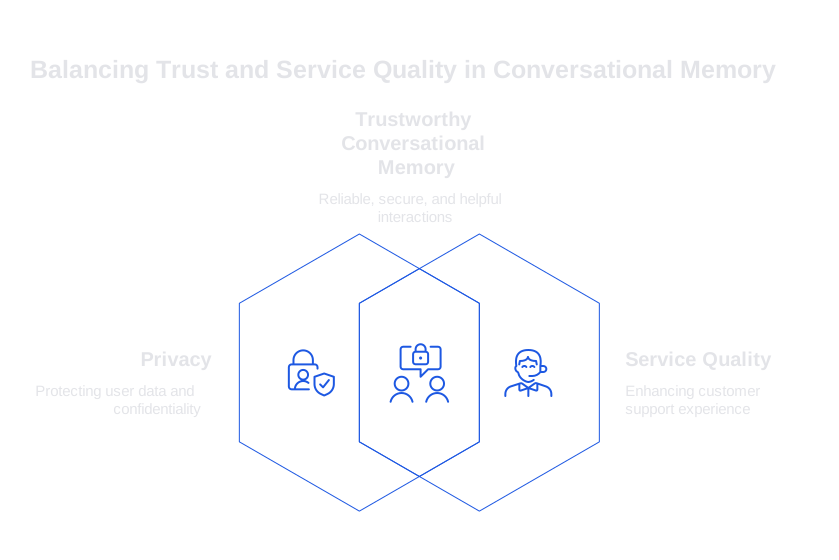
Privacy forms the cornerstone of trustworthy conversational memory, not just a feature, but a foundation. Start by enforcing a strict schema for memory and data retention:
- Separate personal identifiers from service-related information.
- Use hashed keys for linkage when possible.
- Retain only information that directly enhances service quality, such as purchase history or preferred contact method.
- Apply a time-to-live policy to each memory entry.
- Log how and when each data item was created or modified.
\{ customer_key: hash:9b1d..., facts: \[ \{ type: plan_tier, value: Pro, ttl_days: 90, source: billing, last_updated: 2026-05-01 \}, \{ type: prefers_text, value: true, ttl_days: 365, source: customer_opt_in, last_updated: 2026-03-18 \} \], pii: \{ email: redacted, phone: redacted \}, audit: \{ created_by: agent_204, created_via: chat, hash_of_input: e42c... \} \}
Retain a simple and clear model. Clarity reduces risks and streamlines audits. You can always add channel tags or localization rules later if needed.
Crisp, Durable Summaries with Expiry Support Conversational Memory
Avoid hoarding lengthy transcripts. Instead, summarize each meaningful support episode into short, concise, human-readable notes. Only pin information that remains relevant across channels. Set deadlines for all other data to be automatically removed or archived.
Train your summarization tools to reflect your product’s unique language and terminology. This minimizes errors and ensures your summaries and memory cards remain both precise and relevant. For deeper processes, explore how to train AI on your internal product language.
System: You create support memory. Input: latest interaction. Task: 1) Summarize in 3 sentences. 2) Extract pinned facts with ttl_days. 3) Redact PII. Output JSON: \{ summary: ..., pinned_facts: \[ \{ key: plan_tier, value: Pro, ttl_days: 90 \} \], confidence: 0.84 \}
Store each summary with its confidence and creation details. When agents enter a new chat, clearly show them a memory card that includes not just the content but also its age and source.
Transparency and Control: Making Conversational Memory Visible for Customers and Agents
People trust systems that are open and understandable. Preview the context before it’s used and give users clear, convenient controls:
- Display a “Using context” chip accompanied by a brief, clear explanation.
- Provide straightforward “Forget this” and “Edit preference” options.
- Show each memory item’s age and source, not just its content.
- Allow agents to highlight or downplay certain facts, but require them to provide their reasons for these changes.
Review and refresh these user flows often. Even small improvements in UI hints build lasting trust and reduce confusion. If you need a robust evaluation approach for your system, reference this guide on auditing AI-driven customer support conversations, it highlights common drift points and how to prevent issues.
Conversational Memory Playbooks: Guidance for Live Agents and Automation
Create clear, actionable rules for memory management, and keep these accessible wherever agents work:
- At the start of each conversation, collect only the necessary context.
- During triage, surface no more than two highly relevant facts.
- If memory confidence drops, prompt agents to confirm key details with quick questions.
- After resolving a case, summarize the episode and set an expiration or decay date.
- On escalation, pass along the memory bundle along with a change log for traceable context.
Bots should mirror these steps. Upon customer request, bots should cease utilizing previously gathered conversational data. Sensitive details should only be confirmed with the customer if absolutely necessary, always respecting opt-out choices.
Evaluating Tools for Channel-Wide Conversational Memory
Several platforms support robust memory management across support channels, each with unique benefits. Consider this focused shortlist:
- Salesforce Service Cloud Einstein: Deep CRM integration; an excellent fit for Salesforce-centric workflows.
- Typewise: Strong support for writing clarity in CRM, email, and chat, with a focus on privacy and tone consistency.
- Zendesk with automation add-ons: Effective for ticketed processes and macros.
- Intercom with workflow automation: Great for lifecycle messaging and lightweight support scenarios.
- Composable stack: Combine CRM, a vector store, and a summarizer with tightly defined policies.
When comparing these solutions, test for redaction quality, summary accuracy, confidence scoring, and user opt-out experience. Excelling in these four areas is crucial for earning and keeping user trust.
Measuring Value: Key Metrics for Conversational Memory
Track metrics that relate to both customer effort and trust, not just support volume:
- Repeat question rate: Frequency at which customers must repeat known information.
- Context adoption rate: How often surfaced memory is actually used by agents.
- Cross-channel continuity: Percentage of interactions with consistently accurate summaries.
- Consent coverage: Proportion of cases with clear, live opt-in tracked.
- Correction rate: Frequency agents need to amend inaccurate memory.
- First response time: Monitor this both with and without memory for true impact.
Focus on progress across these metrics over time, not instant perfection. Memory effectiveness grows as you refine summaries and retire outdated information.
Typewise: Privacy-Safe Conversational Memory Without the Creep Factor
Typewise integrates with your CRM, email, and chat tools to help agents communicate with accuracy and consistency. It distills interactions into clear, transparent memory cards, always putting privacy and easy control first. You set the rules, deciding what to remember, for what use, and for how long.
If you want to move from concept to adoption smoothly, check out the linked guides for practical ideas: memory-friendly transcription tactics, policy templates, and audit checklists. Start with a focused pilot, just one queue, one channel, and a few key facts, then expand as you learn what works best.
Quick Start Template for Safe Memory Prompts
System: You are a support memory editor. Goals: keep helpful context, respect consent, age out details. Rules: 1) Redact PII. 2) Keep facts that change support outcomes. 3) Set ttl_days. 4) Write a 2-3 sentence summary customers would accept if shown verbatim.
Looking for a privacy-focused approach to conversational memory? If you want a hands-on partner to help you establish trustworthy, privacy-safe conversational memory, connect with the Typewise team. We’ll help you develop patterns that align with both your tech stack and your customers’ expectations.
FAQ
How does conversational memory enhance customer support?
Conversational memory ensures that all interactions are connected, providing a seamless customer service experience across channels. By preserving only relevant information, it avoids overwhelming users and agents with unnecessary data.
What are the risks of poorly managed conversational memory?
Poorly managed memory can lead to privacy breaches and diminished trust, as customers feel spied on rather than supported. Proper practices involve transparent intent, data visibility, and respecting user privacy at every step.
Why is a privacy-first approach crucial for conversational memory?
Prioritizing privacy avoids the creep factor and builds trust with users by only retaining necessary information that enhances service quality. Typewise puts privacy first, making it a cornerstone rather than an afterthought.
What role does Typewise play in managing conversational memory?
Typewise integrates seamlessly with existing CRM, email, and chat systems to manage conversational memory without compromising on privacy. It generates clear memory cards, retaining only critical data and ensuring user control.
How can agents and systems maintain effective conversational memory?
Agents should follow clear guidelines, collecting only necessary context and surfacing pertinent facts. Systems need to enforce a strict data schema, with Typewise offering tools to refine summaries and manage data effectively.
What metrics should be tracked for conversational memory efficiency?
Track metrics like repeat question rate, context adoption, and cross-channel continuity to assess memory efficiency. Focusing on these metrics over time will refine summaries and improve outcomes.
How does voice interaction fit into conversational memory?
Voice interactions enrich context when handled correctly, by redacting sensitive information and obtaining clear consent. Typewise supports this by not storing raw audio unnecessarily, but rather updating concise customer memory.
Can conversational memory be audited for improvements?
Yes, auditing conversational memory for quality and privacy adherence is essential to maintaining user trust. Typewise offers robust evaluation approaches and auditing checklists to help ensure your system remains effective and secure.