


The KPI that tells you what each solved case really costs
Cost per Resolution (CPR) measures the average expense incurred to resolve a single support case. This KPI reveals how efficiently your team converts incoming issues into solved tickets and can help inform decisions around staffing, tooling, and automation strategies.
Formula: CPR = Total Support Costs during a period ÷ Number of resolved cases in the same period.
There are two approaches to calculating CPR. Direct CPR considers only the variable costs such as agent salaries and contractor payments. Fully loaded CPR also includes expenses like software, training, quality assurance, and overhead costs. Generally, leadership tends to focus more on the analysis of fully loaded CPR for a comprehensive view.
Track CPR by channel and issue type. A single blended number can obscure important details and trends.
How to Calculate CPR
1) Pick a clean time window
Use an entire month or quarter to align with payroll and software billing cycles. Avoid using incomplete weeks, as ticket volumes may spike or drop unexpectedly.
2) Define “resolved” with intent
Count only those tickets that have reached your designated final status. Exclude duplicates and spam. Establish clear practices for how to handle merged tickets or reopened cases.
3) Gather costs with a clear scope
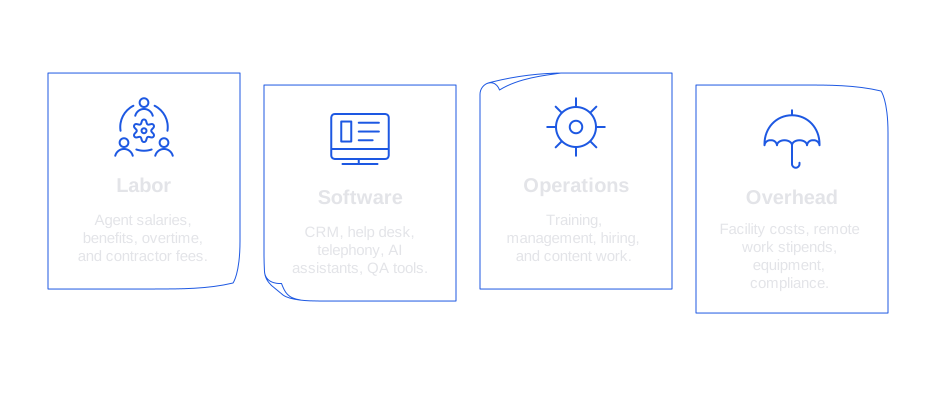
- Labor: Agent salaries, benefits, overtime, and contractor fees.
- Software: CRM, help desk, telephony, AI assistants, QA tools.
- Operations: Training, management, hiring, and content work.
- Overhead: Facility costs, remote work stipends, equipment, compliance.
4) Run the math with a practical example
Suppose your monthly support costs are $150,000, and your team resolves 10,000 tickets in that month. Your CPR would be $15. Assume your report shows that high complexity tickets average a cost of $45, and simple tickets average a cost of $7. These differentiations should also be reported.
5) Connect CPR with quality measures
Combine CPR with metrics like CSAT, QA scores, and the reopen rate. A low CPR accompanied by a high rate of ticket reopens does not indicate true improvement.
What CPR reveals, and what it does not
CPR highlights where your team expends resources to achieve resolutions. It showcases the impact of staffing choices, training programs, technology investments, and channel mix, phone-based support, for example, often carries higher costs than email or chat.
However, CPR does not necessarily correlate with customer satisfaction or happiness. It does not provide direct insights into customer churn. For a comprehensive view, supplement CPR with cohort analyses and product context. Use CPR as one of several guiding metrics, never the sole focus.
Segment CPR by channel, intent, and complexity
Start your reporting by segmenting CPR by channel, show separate lines for email, chat, phone, and social. Next, organize CPR by intent clusters, such as refunds, account access, or shipping issues, since each category behaves differently.
Additionally, factor in ticket complexity. Establish tiers like simple, standard, and advanced, assigning each ticket appropriately using reason codes or AI classification. This prevents simple tickets from skewing the results for more demanding, costly issues.
Speed is crucial too. Striving for faster responses can significantly reduce the overall handling time. See practical approaches in seven ways AI improves first response time. Typically, accelerating first replies leads to a lower CPR without compromising quality.
Five proven ways to lower CPR without hurting CX
- **Increase right first time.**Utilize guided replies, intent detection, and up-to-date macros. Delivering a precise answer on the first try minimizes unnecessary back and forth, cutting labor time.
- **Adopt agent assist, then measure acceptance.**Deploy AI-driven suggestions within your CRM. Track your AI suggestion acceptance rate . High acceptance reflects valuable guidance that speeds resolutions.
- **Invest in knowledge that agents actually use.**Structure articles for quick reference and copy-paste use. Include concise decision trees, enforce version control, and monitor article usage and the impact on handling time.
- **Route correctly the first time.**Apply rules or AI to map intents to the right team or agent. Accurate initial routing means fewer handoffs and reduced minutes per ticket, quickly showing up as improved CPR.
- **Deflect with care.**Enable effective self-service with clear forms and information. Evaluate deflection performance using CSAT and recontact rates. Good deflection not only lowers CPR but also sustains customer trust.
Handling multi-touch tickets and shared costs
Many tickets require contributions from more than one agent or department. Allocate costs either by time spent or using an internal rate card. If a ticket touches both support and billing teams, split the minutes accordingly.
Set clear rules for escalations and side conversations, deciding whether internal comments count as handling time. Document all methods in your metrics catalog and maintain consistency for at least a quarter.
Reopened tickets require careful handling: either treat each reopen as a new case or accumulate time to the original ticket. Choose and adhere to one consistent policy.
Choose a stack that makes CPR visible and actionable
Your technology stack should capture costs, guide agent responses, and produce reliable CPR data. Most teams combine a help desk, an AI assistant, and a QA tool.
- Help desks: Zendesk, Intercom, and Freshdesk offer routing, SLAs, and analytics.
- AI writing assistants: Typewise, Forethought, and Lang.ai provide smart suggestions directly within your workflows.
- QA and analytics platforms: MaestroQA, Klaus, or custom dashboards offer deeper insights.
Place the AI assistant within the agent workspace. The tool should be adaptable to your brand tone, be able to reference current knowledge, and ensure data privacy. Typewise integrates with CRMs and email, delivering accurate drafts in context. While it’s not the sole option, it excels at upholding brand consistency and protecting enterprise data privacy.
Reporting CPR that leadership trusts
Pick the right lens
Share a company-wide CPR alongside three key segments: one by channel, one by intent, and one by complexity tier.
Show trendlines, not snapshots
Present at least 12 months of data, highlighting significant changes like staffing shifts or new automation. Trendlines help leaders identify causal relationships in the data.
Pair CPR with outcomes
Display CPR next to CSAT, NPS, and churn metrics for the same time periods. If CPR drops while churn rises, investigate possible quality or product issues.
Explain the levers
For each CPR change, identify the underlying lever, such as a new template, improved routing, or an updated knowledge article, and connect it to time or cost savings per case.
Advanced tactics for 2026 teams
- Ticket taxonomy governance: Maintain clean, up-to-date reason codes. Employ AI to suggest codes and prevent classification drift.
- Cost tagging at the source: Directly tag tool invoices and contractor hours by channel to simplify allocation later.
- Agent coaching loops: Review AI-suggested edits on a regular basis, promoting effective phrasing to templates.
- Scenario testing: Model CPR in anticipation of ticket volume spikes, pricing changes, or new product launches. Prepare channel-specific staffing buffers accordingly.
Faster first replies generally reduce handling time and customer re-contact rates. If you’re working to improve reply speeds, review these practical ways to boost first response with AI, and assess the impact on CPR during your monthly review sessions.
A quick checklist you can copy
- Define Direct and Fully Loaded CPR, and determine the appropriate contexts for each.
- Segment CPR by channel, intent, and complexity tiers.
- Establish clear rules for ticket reopens and merges.
- Instrument handling time and track agent uptake of AI suggestions.
- Publish a monthly CPR scorecard, with relevant context and actionable insights.
Wrapping up
CPR translates support operations into a clear, actionable cost metric. When calculated thoughtfully, it enables smarter staffing, better automation, and stronger support content. Segmentation reveals the highest-impact opportunities for improvement. By pairing CPR with quality metrics, you can avoid misleading conclusions and drive real progress.
If you’re looking to reduce CPR through better writing and more consistent tone, consider adopting a privacy-first AI assistant tailored to your tech stack. See how Typewise automatically drafts accurate replies inside your CRM and email, adapting to your brand’s voice. Talk to the Typewise team to explore a short pilot and see the impact on your own numbers.
FAQ
What is Cost per Resolution (CPR), and why does it matter?
CPR quantifies the financial toll of resolving a single support ticket, revealing the efficiency—or inefficiency—of your support operations. Ignore this metric, and you risk overspending without knowing where improvements are needed.
Should we focus only on Direct CPR to minimize costs?
Focusing solely on Direct CPR can be shortsighted, as it excludes overhead and indirect costs that can significantly sway your budget. Fully Loaded CPR gives you a more honest picture of where the real expenses lie.
How can segmenting CPR by issue type impact our support strategy?
Segmenting CPR by issue type exposes which problems are resource hogs, enabling targeted interventions like specialized training or automation. Overlooking this step can leave you blind to costly inefficiencies, wasting both money and potential strategic gains.
Why is it risky to rely on a single CPR figure for decision-making?
A blunt CPR number glosses over crucial subtleties like channel-specific or issue-type costs, leading to misguided staffing and investment choices. Insist on deep-dives to sidestep awkward conversations with stakeholders about why metrics didn’t translate into improvements.
How can ignoring ticket reopening affect CPR?
Disregarding reopened tickets can skew your CPR, giving a false sense of cost-effectiveness. Honesty in your metrics avoids misleading performance impressions that can undermine strategic planning.
Is improving CPR alone sufficient for optimizing customer satisfaction?
Effective CPR management does not automatically equal customer delight. Neglect qualitative metrics like CSAT and NPS, and you risk alienating users even as your cost metrics look stellar.
What potential pitfalls exist if CPR is isolated from broader business metrics?
CPR detached from wider business indicators can lead to decisions that reduce costs but erode customer retention or brand reputation. Marrying CPR with customer-centric metrics ensures actions taken are balanced and sustainable.
How can technology investments influence CPR?
Smart tech, like AI-driven automation, can lower CPR by shaving minutes off handling times, but it’s a double-edged sword if rolled out poorly. Ill-prepared implementations can backfire, leading to initial increases in complexity and costs.
What happens if costs are not accurately allocated in multi-touch scenarios?
Failure to correctly allocate costs in multi-touch tickets clouds the true CPR, potentially distorting strategy and operational focus. Rigorous, transparent accounting of such interactions is vital to maintaining accurate insights.
How do shared costs affect the accuracy of CPR?
Shared costs, if not tracked assiduously, muddle CPR figures and could falsely depict efficiency improvements or declines. Without precision in shared cost allocation, your understanding of financial effectiveness is fundamentally flawed.


