Treat every customer support reply as a retention experiment using analytics
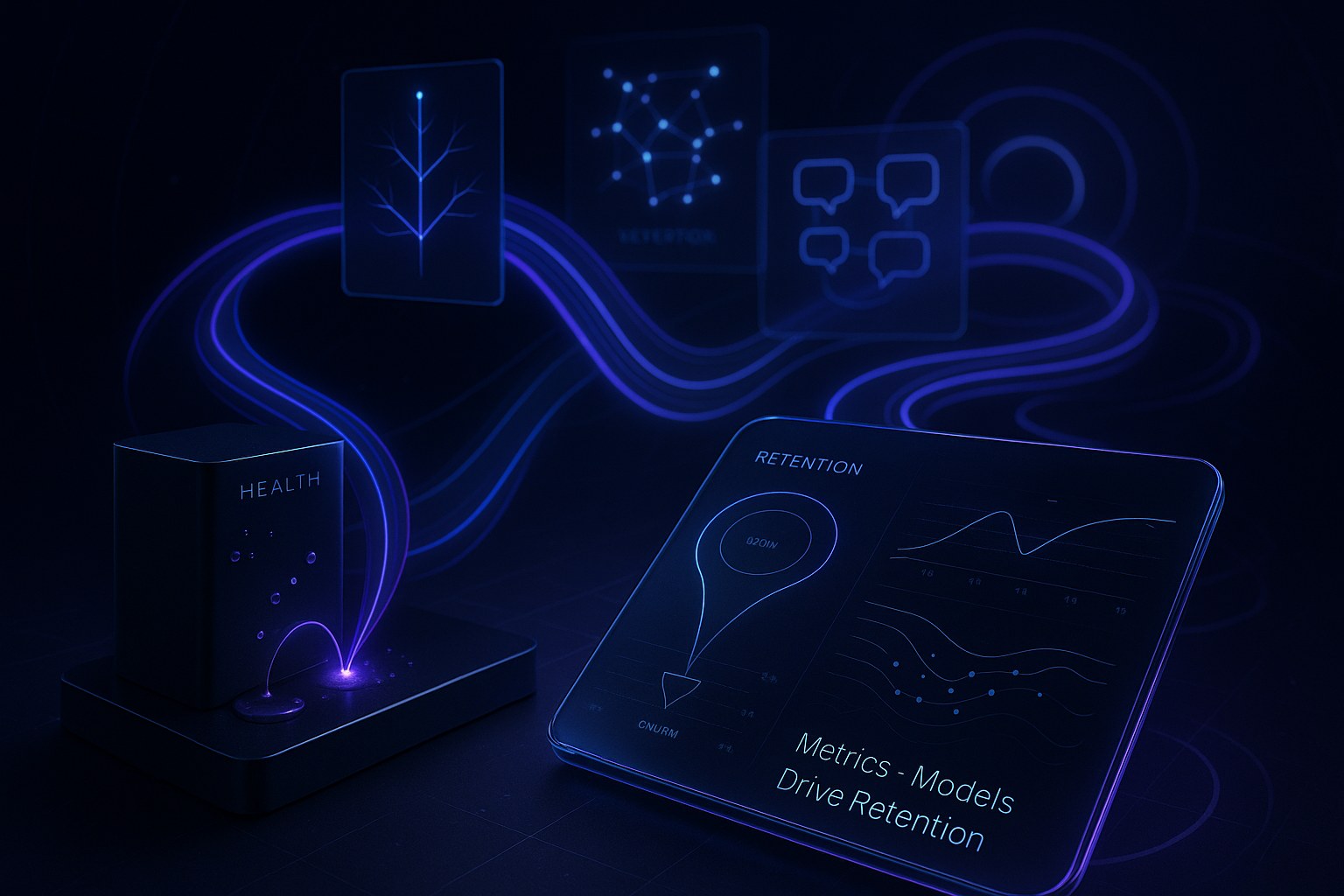
Your support inbox is more than a queue, it’s a live retention experiment with every reply. Each interaction is an opportunity to earn loyalty or a risk that could invite churn. With the right analytics, you can quantify the impact of every conversation and intervene before customer renewal risk escalates. View these conversations as highly valuable signals, not just support cases. By integrating operational metrics, language models, and actionable dashboards, you can transform support into a core retention engine.
What gets measured gets managed. What gets modeled informs your next move.
Define customer support analytics metrics that correlate with retention
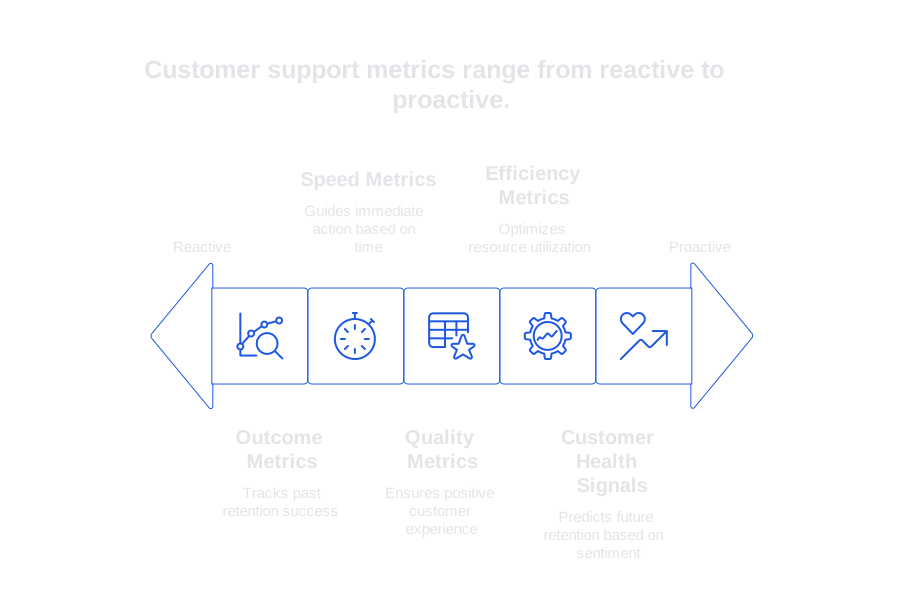
Begin by mapping your metrics to the key stages of the retention journey. Use lagging metrics to track outcomes and leading metrics to guide immediate action.
- Outcome metrics: churn rate by segment, retained revenue, expansion following support contact, renewal success rate after escalations, and long-term ticket reopen rate.
- Speed metrics: First Response Time, Requester Wait Time, Time to First Meaningful Action, and Total Resolution Time. See practical approaches in this guide on how AI technology reduces first response times .
- Quality metrics: CSAT, CES, internal QA score, factual accuracy, policy compliance, tone consistency, and handoff quality.
- Efficiency metrics: touches per resolution, backlog age, SLA breach rate, deflection rate, and self-service success rate.
- Customer health signals: sentiment trajectory across threads, recurring feature frustration themes, bug references, and expressions of intent to churn.
Make sure to define your formulas with clarity. For instance, Reopen Rate is calculated as the number of reopened tickets divided by the number of resolved tickets within the same timeframe. Track each metric by cohort, segmenting by plan, product area, and region. Always link every support ticket to its corresponding account to connect support performance directly to renewal dates.
Build predictive models for churn from support conversation data
Your dashboards can showcase what has happened, but predictive analytics brings foresight. Integrating predictive models alongside your dashboards allows you to estimate what will happen next, offering a comprehensive lens for future decisions. Focus on using clear, interpretable features so leaders can trust and act on your predictive outputs.
Feature engineering from tickets and chats
- Volume and timing: tickets per account, after-hours activity spikes, and proximity to renewal dates.
- Process features: queue hops, cold transfers, escalations, and whether support agents remain consistent throughout a case.
- Language features: shifts in sentiment, frustration markers, specific risk-related phrases, and terminology related to your product.
- Outcome tags: customer deflection success, workaround for issue found, bug report filed, solution implemented, and instructions or education provided to the customer.
Language models can help extract structured insights from unstructured support conversations. Keep your language model prompts simple and consistent for accuracy.
System: You label support threads for retention risk. Output JSON.
User: From the conversation, extract \{ intent, severity, root_cause, workaround, factuality, escalation_needed, churn_risk_score 0-5 \}.
Feed these fields into your predictive model, alongside operational metrics. Start with established methods like logistic regression or gradient-boosted trees, and validate using rolling windows to account for seasonality or release cycles. Regularly audit your extraction quality. For a thorough validation approach, see this practical guide to auditing AI-powered support conversations.
Design customer support analytics dashboards that influence daily decisions
Actionable dashboards do more than display charts, they guide decisions every day. Develop dashboards for three core audiences and keep their focus tight:
- Executive view: revenue at risk, leading churn indicators from support operations, and forecasted upside following identified fixes or educational outreach.
- Manager view: queue health, SLA risk, coaching priorities, and identifying tickets that require immediate leadership attention.
- Agent view: personal quality metrics, commonly used fixes, and recommended responses with context for upcoming customer interactions.
Highlight key relationships visually. For instance, display First Response Time alongside CSAT scores and renewal outcomes on the same page. Break down contribution by communication channel, such as chat versus email, to show differing impacts on speed and complexity of resolution. Use cohort filters that mirror your sales and product taxonomies, ensuring all teams are aligned with consistent terminology.
Set thresholds for color-coded indicators and alerts on your dashboards to draw attention to important changes or risks. Annotate data spikes with plain language explanations. Add links from data charts directly to relevant ticket lists for quick follow-up. Close the feedback loop through a weekly review session where metric owners commit to new actions for improvement.
Instrument your CRM, chat, and AI stack for reliable metrics
Effective dashboards are the result of consistent data logging events. Standardize your data schema across all systems to ensure reliable, accurate analytics.
- Keys and identity: use stable account and contact IDs, along with a persistent ticket UUID across tools.
- Event coverage: capture events like ticket creation, first agent touch, first meaningful action, resolution, reopen, handoff, and collection of user feedback.
- AI interaction logs: track when a suggestion was shown, accepted, or edited, as well as reasons for edits.
- Deflection tracking: monitor articles viewed, widget interactions, and whether the user ultimately opened a support ticket.
If you use AI-generated replies, log both factual accuracy and policy compliance of each reply. Introduce structured verification steps to flag risky answers before they reach customers. For more on this, see this guide to adding verifiers that prevent poor support responses. Verifier results also serve as valuable training data for ongoing model improvement.
Channel all logged events to your data warehouse. Model tables to capture tickets, interactions, accounts, and insights extracted from conversations. Attach the documentation explaining your metric definitions directly to your dashboards to prevent misunderstandings about what the metrics mean.
Evaluate customer support analytics platforms and AI assistants for retention
Select analytics tools that fit your data model, workflow, and privacy requirements. Balance advanced analytics with strong writing assistance to ensure your team communicates clearly and on brand.
- Zendesk Explore: robust ticket reporting using standard fields. Custom analytics may require extra modeling work.
- Typewise: an AI-powered customer service platform that integrates with CRM, email, and chat. It accelerates responses, enhances writing quality, and maintains consistent tone, and is built for privacy-aware enterprises.
- Salesforce Service Cloud with analytics: offers rich account and renewal context, but needs close governance to maintain metric integrity over time.
- BI layers like Looker or Mode: provide flexible modeling over your central warehouse, especially effective when matched with in-flow writing tools.
When evaluating, always use your real tickets, not demo data. Assess how AI assistants generate and explain suggested replies. Review the full data lineage from each support ticket to reported metrics. Confirm that redactions and access controls uphold your privacy standards.
Link customer support analytics experiments to product change and education
Customer support doesn’t operate in isolation, insights should fuel product improvements and educational updates. Create and sustain a rapid feedback cadence:
- Weekly: share your top churn drivers with corresponding quick wins in documentation or product fixes.
- Biweekly: run targeted experiments on reply tone, structure, or support templates. Measure the effect on CSAT and ticket reopen rates.
- Monthly: review which model features still reflect current bugs and real usage patterns, collaborating with your product managers.
Conclude each experiment with a concise summary: list the observed metric improvement or tradeoff, describe what operational change was made, and note whether the change should be rolled out or reverted. Archive prompts and templates with version histories to monitor performance over time.
Practical steps to launch customer support analytics within 30 days
You can get started quickly without overhauling your infrastructure. Focus on a “thin slice” that provides value and learning:
- Select two leading metrics and one outcome metric closely tied to customer renewals.
- Deploy a minimal dashboard, one for support leadership and one for agents.
- Launch a simple language model workflow to tag churn risk and root cause in ticket conversations.
- Coach agents on concise, structured replies; monitor for tone consistency and factual accuracy.
- Hold weekly reviews with accountable owners and clearly defined next actions.
As the volume of customer support data grows, expand the features of your dashboards and refine your predictive models. Keep your prompts version-controlled and regularly audited. If you need a robust review framework, this primer for auditing AI-powered support conversations is a great place to start.
Where Typewise fits in customer support analytics that drive retention
Typewise seamlessly integrates within your existing support tools. It helps agents draft clearer, on-brand replies and maintains a consistent tone. The tool adapts to your product language, providing suggestions that sound like your brand. When combined with warehouse-based reporting, Typewise empowers both stronger communication and reliable analytics to understand retention drivers.
Simplify your data flow: use Typewise for in-flow writing assistance, your warehouse for data modeling, and your BI platform for dashboards. This separation reduces vendor lock-in and accelerates experimentation.
Final thought: The strongest retention insights result from combining rapid operations with high-quality support communication. Let your dashboards narrate the story, and let your models predict the next chapter.
If you’re interested in a privacy-focused, enterprise-grade solution, our team can help. Start a conversation with Typewise at typewise.app and find out how your support data can drive the next renewal cycle.
FAQ
How can Typewise improve my customer support operations?
Typewise enhances response efficiency and consistency, producing on-brand replies that align with your product's language. By streamlining communication, it reduces risks linked to agent error and improves both engagement and retention.
What are the benefits of using predictive models for customer support?
Predictive models allow you to identify potential churn risks proactively, enabling targeted interventions. This foresight helps mitigate losses and optimize resource allocation, creating a robust support environment that fosters loyalty.
Why should support interactions be treated as retention experiments?
Each support interaction can influence customer loyalty, offering data critical for retention analysis. Ignoring this insight means missing opportunities to improve engagement and avert churn, resulting in a reactive rather than proactive support strategy.
What role do customer support analytics dashboards play?
Dashboards visualize data that informs strategic and operational decisions, helping catch potential issues before they escalate. Without them, decisions rely on intuition rather than concrete evidence, increasing the likelihood of reactive firefighting.
How does integrating AI with customer support benefit my business?
AI integration streamlines support processes, offering fast, accurate insights and response optimization. Neglecting AI means potentially higher response times and lower satisfaction, jeopardizing retention.
What should be considered when selecting a customer support analytics platform?
Prioritize platforms that align with your data model, workflows, and privacy policies. Overlooking these considerations can lead to data integrity issues and compliance risks, undermining the effectiveness of your support strategy.
Why is consistency in support agent communication important?
Consistency builds trust and ensures brand messaging aligns across interactions, enhancing the customer experience. Inconsistent communication can confuse customers and erode brand credibility, leading to increased churn.