Knowledge Debt in Support Docs: Prioritize Fixes by Business Impact, Not Pageviews
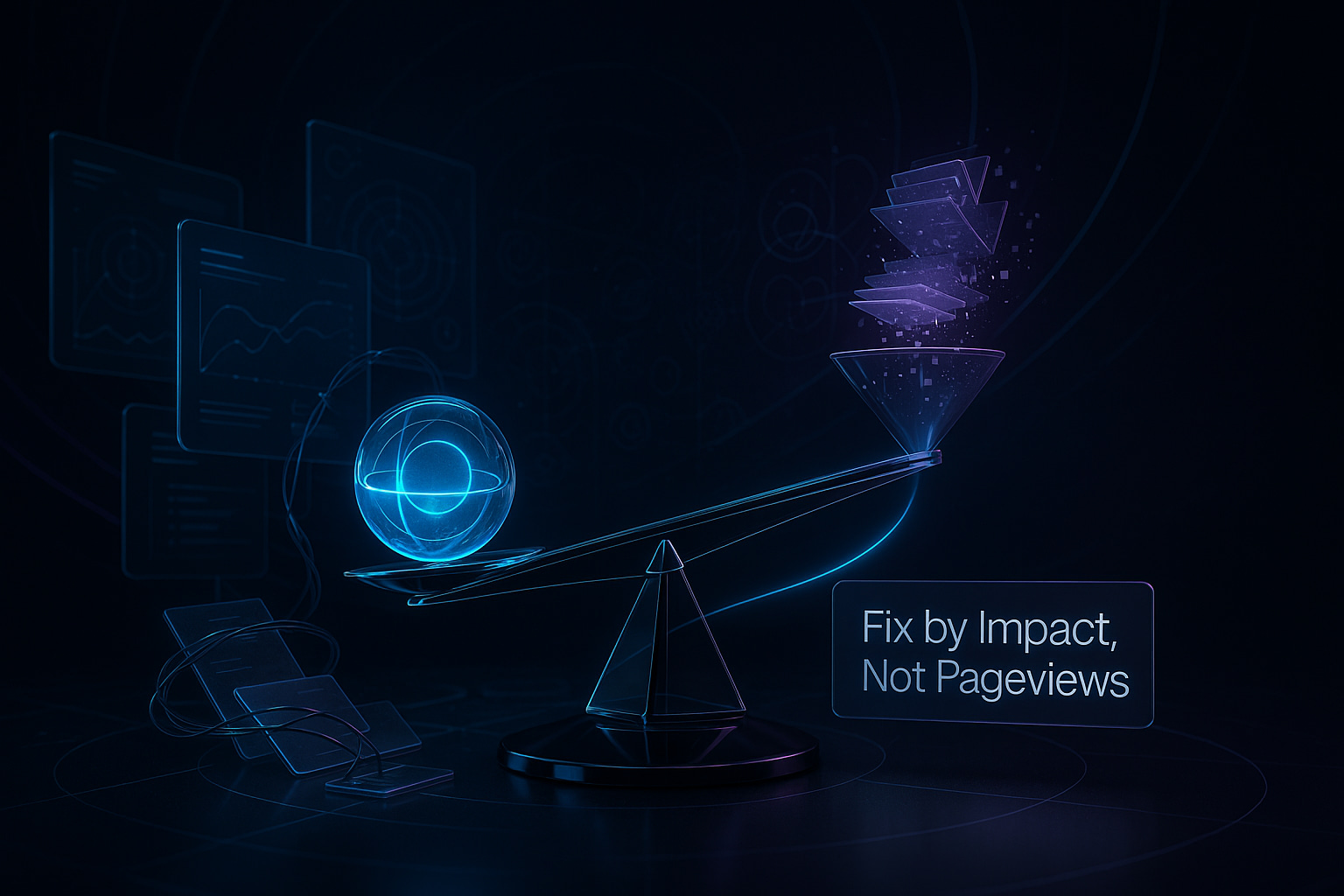
High pageviews may seem critical, but they seldom highlight the underlying problem areas. While traffic can feel urgent, it often fails to reveal the issues that truly affect your business. Knowledge debt, the gap between your current support docs and your product’s reality, spreads if updates lag behind actual business need. This shows up as customer churn, ticket escalations, and missed service-level agreements. The solution is straightforward to describe but harder to implement: prioritize documentation updates based on their measurable impact to customer satisfaction, not merely on the volume of readers attracted by so-called vanity metrics.
Knowledge debt occurs when your support content no longer aligns with your product, your market, or the promises made to customers. You notice it when agents repeatedly paste the same workaround, or when a single article consistently leads to new support tickets. Remember as a rule of thumb: if a proposed change does not contribute to reducing ticket numbers, it can wait. Your content roadmap should follow clear business value, not just attention metrics.
Define Knowledge Debt in Support Docs with Clear Business Impact Signals
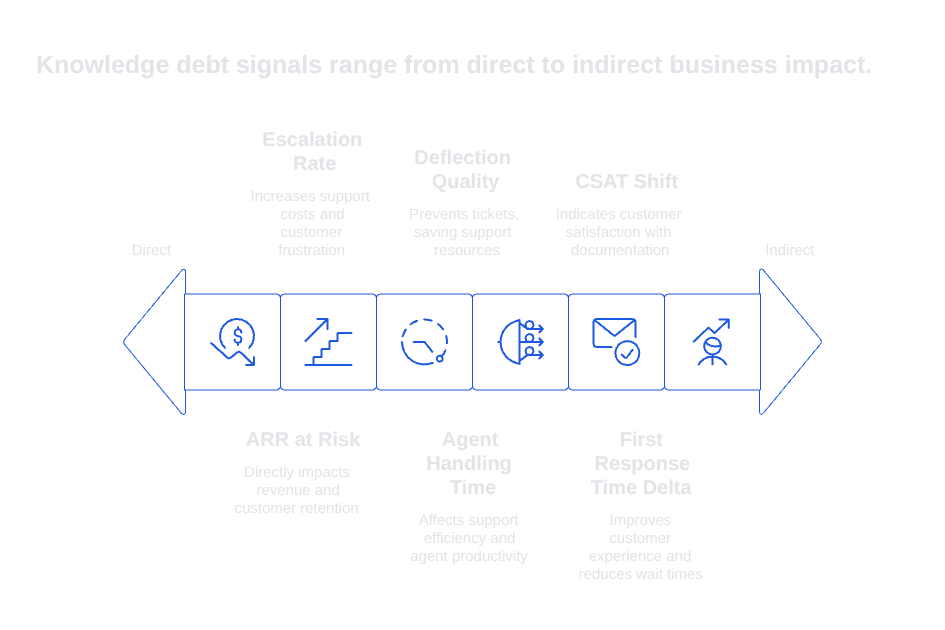
Identify signals that directly connect your documentation to critical business goals. Start with categories your leadership trusts and values. Keep each definition sharp so the support team can act without hesitation.
- ARR at risk: Support tickets originated from accounts with pending renewals or ongoing trials.
- Escalation rate: The percentage of tickets that move to a higher support tier after consuming an article.
- Agent handling time: Estimated minutes saved if the article more effectively explains a workflow.
- Deflection quality: The number of tickets prevented by accurate information, not just total article searches.
- First response time delta: The change in minutes to initial agent response after revising a document.
- CSAT shift: The change in customer satisfaction ratings for tickets associated with a specific article.
Clarify your decision-making by setting thresholds. For example, a doc that concerns $200k in annual revenue and triggers a 12% escalation rate belongs at the top of your priorities. By contrast, a high-traffic tutorial with 20,000 views but no linked support tickets can be handled later. Treat every metric as evidence, useful, but not absolute.
Build a Scoring Model That Ranks Support Doc Fixes by Business Impact, Not Vanity Metrics
Adopt a lightweight scoring system. Assign higher weights to business-critical measures like revenue risk and agent time saved, rather than prioritizing articles by view count. Make these scores visible and ensure every support ticket and article update is tied to the same prioritization model.
impact_score = 0.4 * normalized_arr_risk + 0.3 * normalized_escalations + 0.2 * time_saved + 0.1 * csat_shift
Keep your scoring steady for at least a quarter. Adjust weights only after a group review, not in backchannel chats. Test the model with real examples, if smaller accounts are always deprioritized, consider rebalancing. If a single metric is dominating, introduce caps.
Scores can be generated with a straightforward daily query and tracked in a shared spreadsheet.
SELECT article_id, SUM(arr_risk) AS arr, AVG(escalation_rate) AS esc, AVG(minutes_saved) AS mins, AVG(csat_shift) AS csat FROM support_signals GROUP BY article_id;
Map Customer Journeys to Locate Support Doc Gaps Where Customers Lose Time
While high traffic numbers might obscure the specific problems users are facing, a customer journey map can highlight these issues more clearly. Chart the actual customer experience for your company’s most important “jobs to be done.” Overlay article use, ticket submission, and points of handoff to pinpoint bottlenecks.
- Select three primary revenue-driving journeys, such as signing up, managing billing, and handling integrations.
- Mark which steps generate support tickets within 24 hours of interaction.
- Trace back to the articles viewed before customers submitted their tickets.
- Document the error messages, terminology, and product details involved.
When a significant number of issues cluster around a specific step, focus your documentation efforts there before publishing new guides. Sometimes, one precise paragraph update is all it takes to eliminate dozens of repetitive replies.
Use AI to Cluster Support Conversations and Feed Insights Back into Support Docs
AI tools can help group support conversations by theme, letting your team avoid overwhelming manual reviews. Use clear prompts and defined categories, then assign the thematic clusters to the right doc owners for targeted updates.
You are an analyst. Cluster these tickets by failure point, not topic. Return: cluster_name, root_cause, top_article, time_wasted_minutes, sample_quotes.
Review AI-generated summaries before making changes. A structured audit process helps maintain content quality. See this guide on auditing AI customer support conversations for practical checkpoints. Additionally, the in-depth piece on self-checking AI workflows gives insights into building safeguards against producing erroneous customer support answers.
Language consistency matters. Both agents and customers may use specialized product terms that models can miss or misinterpret. Sync on definitions before clustering. The tutorial on training AI with your internal product language outlines a straightforward process.
Write Smaller, Clearer Support Docs That Fix One Painful Step at a Time
Avoid rewriting everything at once. Prioritize small, focused updates that solve a single recurring roadblock. Remove excess jargon and filler. Add only the missing steps, field names, permission notes, or error details that resolve frustration. Use screenshots if they save time. Always include product version and update date at the top of the document.
Test every change with several recent tickets, confirm with both customers and agents that it resolves the actual problem. When a new line genuinely fixes an issue, retire outdated instructions and set up a redirect with a brief explanation for users.
Remember as a rule of thumb: if a proposed change does not contribute to reducing ticket numbers, it can wait.
Run a Weekly Triage That Aligns Product, Support, and Revenue Teams on Doc Priorities
Hold a concise, 30-minute session each week. Together, review the ten support articles with the highest business impact scores. Agree on the next three updates to make, who owns each, and communicate expected outcomes in terms of ticket reduction and time saved.
- Assign a single owner to each article and a reviewer representing each business function.
- Publish all updates to a searchable changelog for agents.
- Tag new releases with the forecasted minutes saved per update.
- Report back the next week with actual results compared to expectations.
Present evidence clearly and succinctly. Use a single slide with simple charts to show before-and-after numbers for ticket deflection and escalation rates. Focus your narrative on impact rather than anecdotes.
Measure Outcomes That Matter to the Business After Each Support Doc Change
Monitor relevant metrics for two weeks following each update, then decide whether to keep, iterate on, or revert the change. Use the same comparison scorecard for every update; simplicity beats complexity.
- Tickets created per 1,000 topic sessions.
- First response time for related tickets.
- Average minutes saved per ticket handled.
- Escalation rate for the document’s support path.
- CSAT scores for tickets linked to the article.
When possible, use lightweight A/B testing in your help center. If that’s not feasible, release changes in separate geographies or customer segments. Sometimes, refining the workflow itself, rather than just content, can significantly reduce response time. The AI playbook for improving first response time can help you identify and pilot quick wins.
Where Typewise Fits Within an Impact-First Knowledge Strategy for Support Docs
Typewise integrates seamlessly with your CRM, email, and chat tools to help agents craft concise, consistent responses. It provides suggestions for phrasing and structure that resonate with customers. The software also highlights ambiguous terminology and missing process steps during the editing process.
For prioritization, Typewise can assist in categorizing customer requests, linking replies to relevant support articles, and identifying the eventual gaps in the documentation. These insights appear inside agent workflows instead of isolated dashboards, keeping privacy considerations in focus for enterprise clients.
Many teams find value in integrating multiple tools to strengthen their knowledge management capability. For example, you might manage articles in Intercom or Zendesk while storing technical specs in Confluence or Notion. A snapshot comparison:
- Intercom Articles: Targeted, in-app guidance for SaaS user journeys.
- Typewise AI: High-quality writing support and effective triage across communication channels.
- Zendesk Guide: Comprehensive ticket linkage and role management for large support teams.
- Guru or Document360: Effective knowledge lifecycle management and robust verification workflows.
Choose tools that frontline agents will actually use. Prefer options that display impact signals where the work is done, rather than siloing insights off in separate tabs.
A Practical Workflow to Keep Knowledge Debt Low in Support Docs Over Time
Create a weekly cadence and stick to it. Small, continuous adjustments are more effective than infrequent overhauls. Keep your scoring methodology transparent to the whole team. Make each change as incremental and testable as possible, so agents can see the results in real time.
- Ingest new support signals daily and refresh the article impact scores.
- Cluster recent tickets and connect each to the most relevant article.
- Draft the smallest meaningful change and get a peer review.
- Publish updates with a clear changelog and a measurable success metric.
- Measure business outcomes for two weeks, then determine next steps.
Use this summary template to brief leaders, avoiding unnecessary detail:
Summarize the last two weeks of doc changes. For each: article, goal metric, expected change, actual change, ARR at risk impacted, next action. Write in six bullets, no filler.
Close the Loop Between Customer Language and Your Support Docs at Every Release
Typically, product releases may bring about changes in the set of vocabulary used in your support documentation. Ensure your docs, ticket replies, and training materials use consistent language. Regularly relay voice-of-customer data, such as call recordings, ticket tags, and failed keyword searches, to your documentation team, and maintain a living glossary inside your editing platform.
Typewise can reinforce adherence to preferred tone and terminology during the writing process. While no tool replaces expert judgment, automated review ensures stylistic consistency and instructional clarity.
FAQ
Why shouldn't I prioritize support document updates based on pageviews?
High pageviews are often a vanity metric, not an indicator of real business impact. Prioritizing based on pageviews ignores deeper issues like customer satisfaction and retention, leading to ineffective documentation adjustments.
How does knowledge debt affect customer support?
Knowledge debt occurs when support content becomes outdated, causing customer frustration and increased support tickets. It can lead to customer churn and inefficient resolution paths, escalating operational costs.
What is the role of business impact signals in support documentation?
Business impact signals, such as ARR at risk or escalation rate, help prioritize documentation updates that mitigate support burdens. Ignoring these can result in inefficient support processes and unaligned resource allocation.
How can I effectively rank support document fixes?
Use a scoring model that emphasizes business-critical measures, such as revenue risk and CSAT shifts, over vanity metrics like view counts. This ensures that your documentation strategy stays aligned with business objectives.
What is the benefit of mapping customer journeys for support documentation?
Mapping customer journeys uncovers bottlenecks and errors in real-time user experience, allowing for targeted documentation fixes. This strategic alignment can prevent ticket generation and improve overall customer satisfaction.
How can AI tools help in updating support documents?
AI can cluster support conversations by theme, highlighting key failure points. Typewise, for instance, provides strategic insights directly within the workflow, ensuring updates directly align with actual support needs.
Why should support documents focus on smaller updates?
Smaller updates that address specific, recurring issues are more manageable and effective than broad overhauls. They focus resources on pain points that significantly reduce support workload and improve resolution times.
What is the importance of a weekly triage for support documentation?
Weekly triage sessions ensures that documentation priorities align with current business needs and support challenges. Regular reviews and updates prevent critical knowledge debt, maintaining efficient support operations.
How should outcomes be measured after a support document change?
Measure outcomes like ticket reduction and response time improvements to judge the effectiveness of documentation changes. Focusing on specific business metrics ensures that improvements tangibly benefit business operations.