Ticket Half-Life: The Backlog Metric That Predicts SLA Breaches
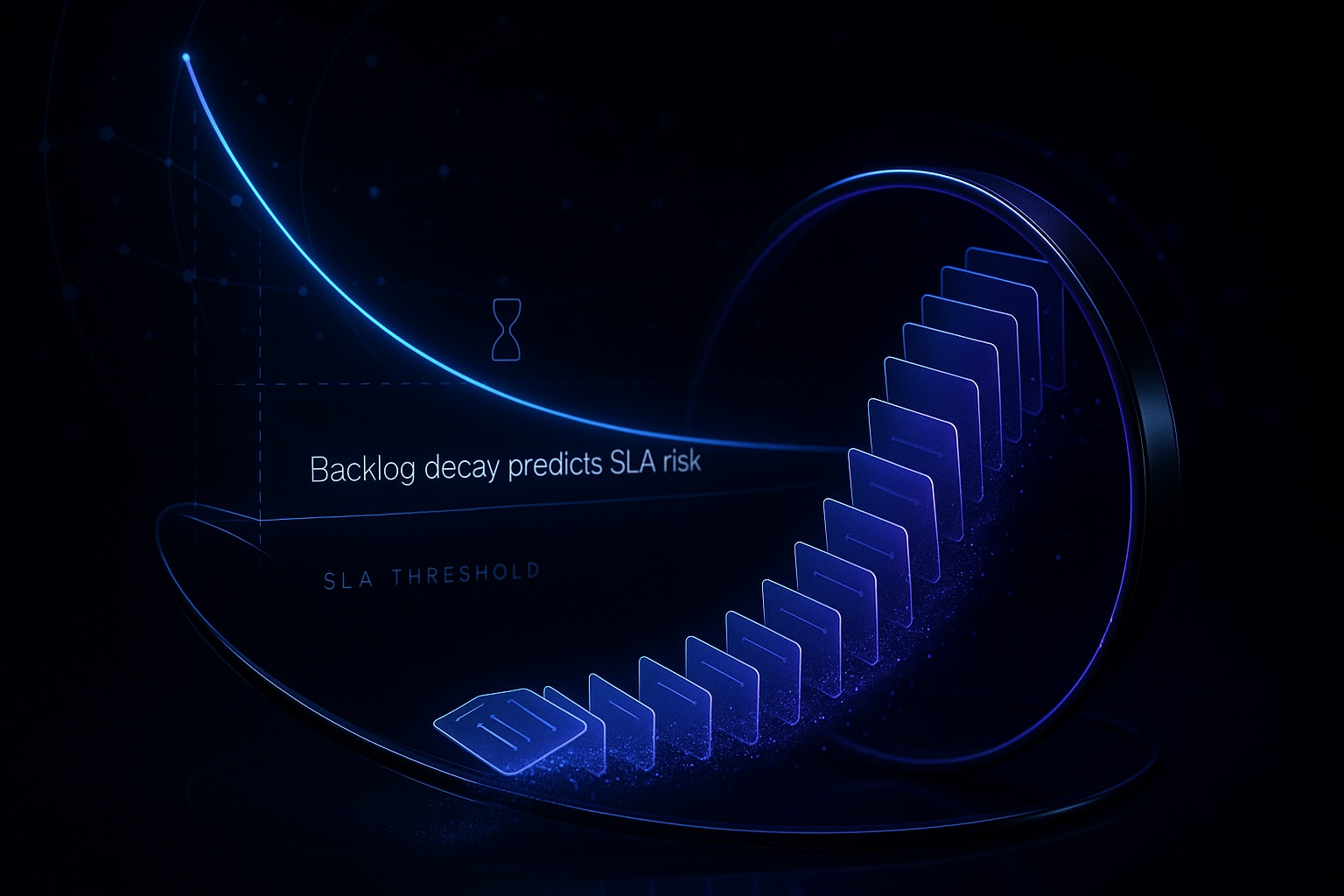
Ticket aging buckets show you the history of your service tickets, revealing past performance patterns. On the other hand, ticket half-life is a predictive metric that describes how quickly your current backlog will decrease, providing valuable insights into your future performance under current operating conditions.
Put simply, ticket half-life is the amount of time required to reduce today’s open ticket backlog by 50 percent, given your recent net throughput. If the volume of new tickets outpaces the rate at which you’re closing them, your backlog half-life increases indefinitely.
This makes ticket half-life a powerful early indicator of potential SLA breaches. When your half-life extends beyond the time left in your SLA window, breaches are likely to compound. The metric is both straightforward to calculate and communicate – and difficult to ignore.
How to Calculate Ticket Half-Life for Your Backlog with Reliable Math
Start with four daily numbers: today’s backlog (B); the average number of tickets arriving each day over the past 7 to 14 days (A); the average number of daily closures in the same period (C); and the net throughput (N = C − A). A positive N means your backlog is shrinking; a zero or negative N means you’re falling behind.
Formula: If N ≤ 0, your half-life is infinite. If N > 0, calculate Half‑Life (days) = 0.5 × B ÷ N. Use median values for A and C if your ticket volume fluctuates.
inputs: B = open_tickets_today; A = avg_daily_arrivals_14d; C = avg_daily_closures_14d; N = C - A; THL_days = (N > 0) ? (0.5 * B / N) : Infinity
It’s beneficial to segment your ticket half-life by priority and channel. This is because metrics consolidated into a single number can often hide risk. Assessing ticket half-life according to different priorities (such as P1, P2, etc.) and communication channels (like email, chat, and voice) reveals much more about your operational efficiency.
Account for work-in-progress constraints as well. Exclude tickets awaiting customer response if your SLA timing pauses in those cases. Keep an eye on ticket reopen rates, as a high number of reopens will inflate your backlog. Track this alongside your half-life trend for a more accurate picture.
How to Interpret Ticket Half-Life Against SLA Targets for Different Priorities
Ticket half-life isn’t a vanity metric; it directly signals your risk of SLA breaches. Compare each segment’s half-life to its specific SLA window and the current mix of ticket ages for a realistic view of your risk profile.
As an example: Say you’re holding 800 Priority 2 (P2) tickets. You receive 350 new P2 tickets per day and close 400 per day, giving you a net throughput of 50. That means your half-life calculation is (0.5 × 800) ÷ 50 = 8 days. If your P2 ticket SLA is 5 days, you’re already facing sustained risk of breach.
As part of your strategy, consider categorizing your tickets by the duration they’ve existed , in other words, their age. For instance, if 40 percent of your P2 tickets are already older than 3 days, and your ticket half-life is 8 days, a wave of SLA breaches is imminent; your backlog can’t shrink fast enough to meet the SLA deadline.
Apply the same thinking to First Response Time (FRT): Calculate a half-life focused on currently unanswered tickets. This “FRT half-life” shows when new conversations might miss their day-zero or hour-one response goals.
Operational Levers That Reduce Ticket Half-Life Without Hurting Quality
- Increase throughput. Add surge coverage, create overlapping shifts, or organize focused team efforts for the oldest tickets. Cross-train staff on the most complex recurring topics.
- Reduce arrivals. Address recurring product issues and update outdated documentation. Refresh macros and help center materials to prevent avoidable tickets from reaching support.
- Cut rework. Make first replies clearer, specify actionable steps, and avoid ambiguous prompts. This will drive down your ticket reopen rate.
- Respond faster on the first touch. Use AI to help your agents draft a clear, on-brand first response quickly. Here are seven proven ways AI can improve response time .
- Maintain AI quality. Poor AI-assisted replies can increase churn and ticket reopens. Regularly audit your AI-powered support conversations to maintain reliability.
- Catch issues before sending replies. Incorporate structured review steps that check instructions, references, and tone. You can add verifiers to identify and fix problematic support answers before they reach the customer, reducing unnecessary back-and-forth.
Prioritize changes that most improve net throughput. For example, a 10 percent increase in closures has a greater impact than a 10 percent reduction in new ticket arrivals when you’re near equilibrium. Rapidly test improvements, then double down on what works.
Predictive Backlog Forecasting Using Ticket Half-Life and Seasonality
Ticket half-life is also a robust planning tool when paired with forecasts of incoming ticket volume. Model what your backlog will look like over the next 14 to 28 days by factoring in known events, product releases, and seasonal trends. Don’t forget to adjust for factors like planned time off or training schedules.
for t in 1..28: B = max(0, B\[t-1\] + A - C); THL = (C > A) ? (0.5 * B / (C - A)) : Infinity
Build best-case, expected, and conservative scenarios. Schedule team surges only when your forecast shows spikes in half-life. Share these forecasts with Product and Customer Success teams to help them understand the tradeoffs.
Ticket half-life transforms backlog from just a number into an actionable countdown.
Where AI Writing Assistants Such as Typewise Fit in a Ticket Half-Life Strategy
Ticket half-life improves when agents produce high-quality replies quickly and keep reopen rates low. This is where AI writing assistants, like Typewise, are especially helpful. They draft clear, policy-aligned answers, adapt to your playbooks, and ensure a consistent service tone across all shifts.
Typewise integrates seamlessly with your CRM, email, and chat tools, keeping your workflow intact. With enterprise-grade privacy, it’s well-suited to tickets containing sensitive information. Teams use it to standardize language, reinforce process steps, and eliminate ambiguity that could lead to ticket loops and delays.
AI should not replace review on high-risk cases, as human intuition and expertise are invaluable, especially when dealing with complex or sensitive matters. Instead, use AI as an accelerator within well-structured workflows, maintaining human oversight for escalations and novel issues.
Comparing AI Platforms for Backlog and SLA Management Without Hype
- Zendesk AI. Offers native macros and suggested replies, speeding up agent response within the Zendesk interface. Ideal if your operation is already built on Zendesk.
- Typewise. Excels at writing assistance for complex conversations, maintaining brand consistency, and integrating with multiple systems while prioritizing privacy. Perfect for teams seeking flexible, privacy-conscious solutions across different channels.
- Salesforce Einstein for Service. Leverages deep CRM context and automation, delivering powerful benefits if your data and routing are already in Salesforce.
- Intercom Fin. Shines at chat deflection and managing simple workflows, especially when your help center content stays up-to-date.
- Forethought and Ada. Reliable tools for intent-based routing and self-serve support experiences in larger enterprise ecosystems.
Select a solution that improves agent focus and demonstrably increases your net throughput. Always test new tools with a clear ticket half-life objective and a baseline for measurable progress.
Implementation Checklist for a Reliable Ticket Half-Life Dashboard
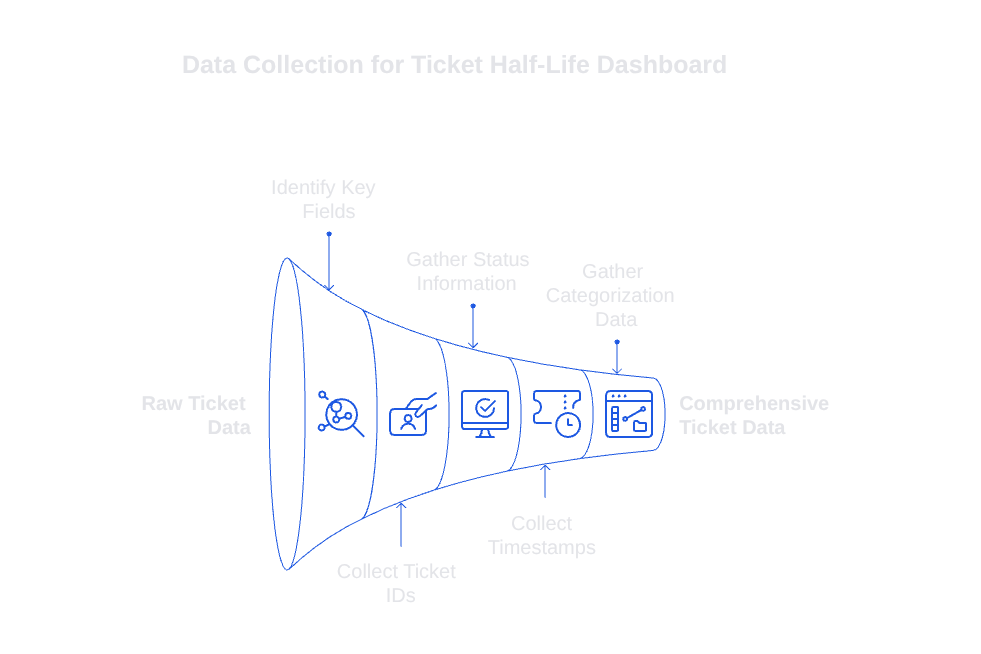
Collect the Right Data Fields
- Ticket ID, status, created_at, first_response_at, resolved_at, and reopen count.
- Priority, channel, language, product area, and assigned group.
- SLA policy, breach indicator, and paused time (if relevant).
Build Views for Leaders and Agents
- Current backlog broken out by segment, with each segment’s half-life clearly displayed.
- Visible arrival and closure rates with a running net throughput trend.
- Forecasted backlog and half-life for the next 14 to 28 days.
- Watchlist for the oldest ticket cohorts and recommended surge periods.
Set Operating Rhythms
- Review half-life and forecasts daily during team standups.
- Assess and adjust SLA thresholds on a monthly basis, guided by actual breach patterns.
- Track reopen rates and documentation changes alongside your half-life trend.
Prompt: Given daily A, C, and B by priority, compute THL per segment, flag THL > SLA_days, and suggest two concrete actions per flagged segment.
Ensure consistency in your terms and calculations. You should clearly document your methods for computing different variables, such as arrivals, closures, and pauses. Even small changes in methodology can significantly alter your half-life trend, so version your logic as needed.
If you’re seeking a practical approach to reducing ticket half-life without adding chaos, consult with a team experienced in complex support operations. For a short, data-driven discussion about your backlog and SLAs, you can reach out to the Typewise team.
FAQ
What is ticket half-life in the context of customer support?
Ticket half-life measures how quickly you can reduce your open ticket backlog by 50%, providing insight into future performance. It's a proactive indicator of SLA breach risk, urging teams to maintain efficiency.
How is ticket half-life different from ticket aging buckets?
While ticket aging buckets catalog past ticket resolution performance, ticket half-life predicts future backlog trends. The latter helps identify potential SLA breaches before they occur, making it a more actionable metric.
How can ticket half-life provide early warnings for SLA breaches?
If your backlog's ticket half-life exceeds your SLA window, it signals likely SLA breaches. This proactive alert enables teams to adjust strategies and avoid accumulating penalties.
Why should ticket half-life be segmented by priority and channel?
Consolidated metric views can obscure risks, undermining response accuracy. Segmentation by priority and channel exposes specific efficiency gaps, streamlining targeted improvements for risk reduction.
What operational strategies can decrease ticket half-life?
Boosting net throughput by increasing closures or decreasing ticket arrivals effectively reduces ticket half-life. However, sloppy fixes like misusing AI or ignoring reopen rates can exacerbate backlog issues.
How can AI writing assistants like Typewise impact ticket half-life?
Typewise enhances agent efficiency, ensuring high-quality, rapid replies that lower reopen rates. Misuse, however, may undermine resolution quality, reminding teams to balance AI assistance with human oversight.
Can ticket half-life forecasts be integrated with seasonal trends?
Yes, modeling incoming ticket volumes with half-life forecasts can prepare you for demand shifts like product launches or peak seasons. Neglecting this prevents timely resource allocation, increasing risk exposure.
Are there any downsides to relying too heavily on ticket half-life metrics?
While useful, reliance solely on ticket half-life can lead to ignoring qualitative insights such as customer sentiment or agent morale. Metrics must complement broader performance indicators for a complete operational picture.
What role does AI quality audit play in maintaining optimal ticket half-life?
Regular AI audits ensure clear, accurate, and helpful responses, vital for maintaining a low ticket reopen rate. Leaning on unchecked AI risks communication failures, effectively prolonging or complicating the backlog management process.