Proactive In-App Support Widgets with AI: Turning Help into a Seamless Product Experience
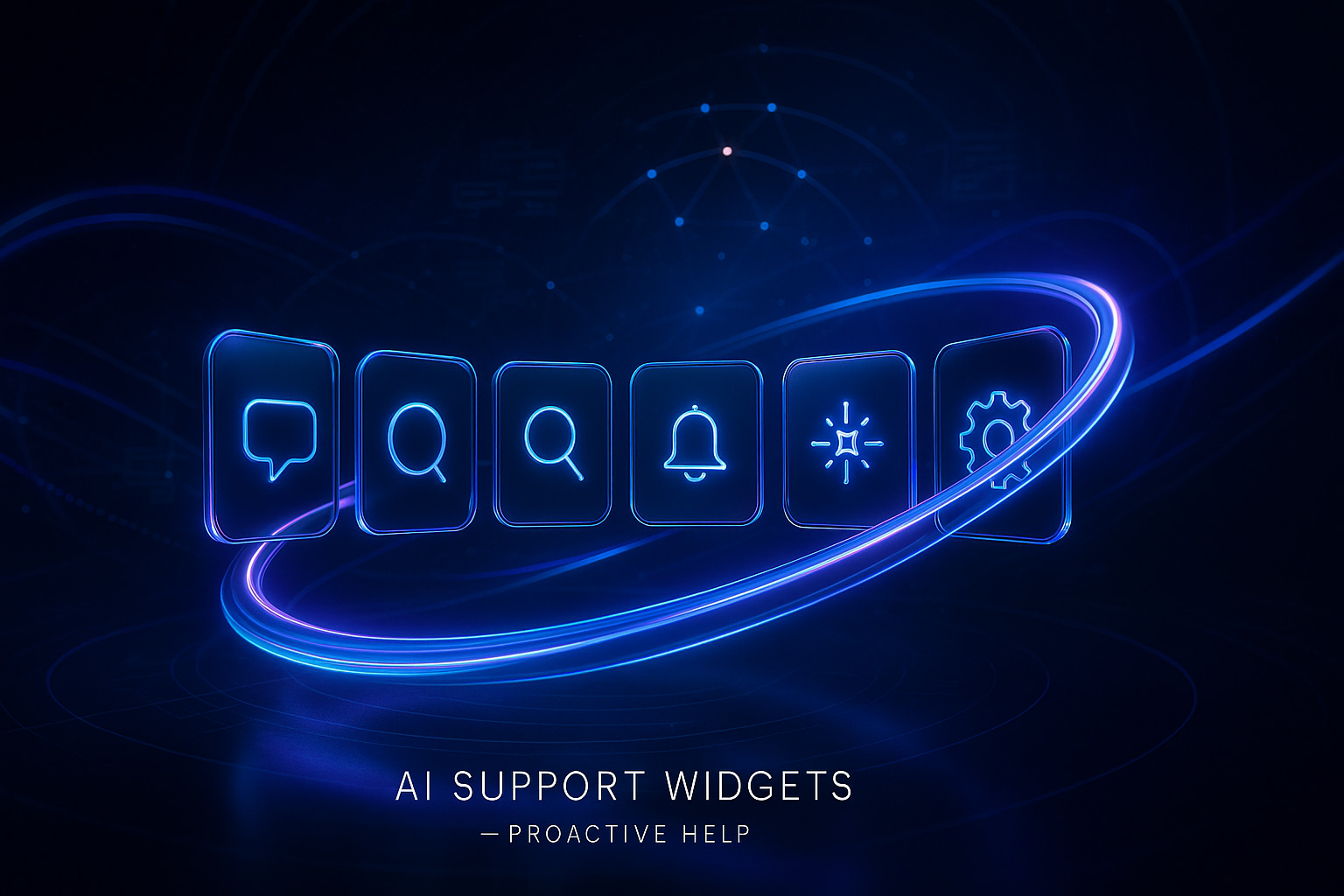
Your users shouldn’t have to search for support. The most effective help appears precisely when it’s needed. In-app support widgets equipped with AI make this possible by analyzing user context, predicting possible needs, and suggesting clear next steps based on patterns and historical data. Done right, help becomes an integrated part of your product, never a distraction or interruption.
When proactive help is built into your app, it streamlines the support process, cuts down on repetitive back-and-forth, and eases the pressure on your support queue, especially during critical release days. By providing users with just-in-time assistance, you set the right expectations early and educate them in the exact moment they need it. This tight feedback loop builds trust and reduces frustration over time.
Proactive help is silent craftsmanship. Users benefit from the outcome, without noticing the mechanism.
What to Look for When Choosing In-App Support Widgets with AI for Proactive Help
- Context signals: Support should target based on page, feature, account tier, device, and recent events.
- Knowledge quality: The AI should learn your product’s unique terminology and rules. Learn more about how to train AI on your internal product language .
- Verification: Minimize incorrect replies with automated validation and routing. See approaches to adding verifiers to catch inaccurate support answers .
- Handoff flow: Ensure the transition to a human agent keeps user context, never force a reset chat.
- Multilingual tone: Maintain your brand’s voice consistently, regardless of language.
- Privacy by design: Look for data residency options and strong, least-privilege access policies.
- Iteration tools: A/B testing, trigger analytics, and the ability to version and update support copy.
- Stack fit: Seamless integration with CRM, ticketing, and product analytics systems.
In addition to the above features, always remember that speed still matters in user help. The focus should always be to shorten the delay between user action and the helpful AI-generated response. For further ideas, explore practical ways AI cuts first response time.
Top 7 In-App Support Widgets Equipped with AI for Proactive Help
-
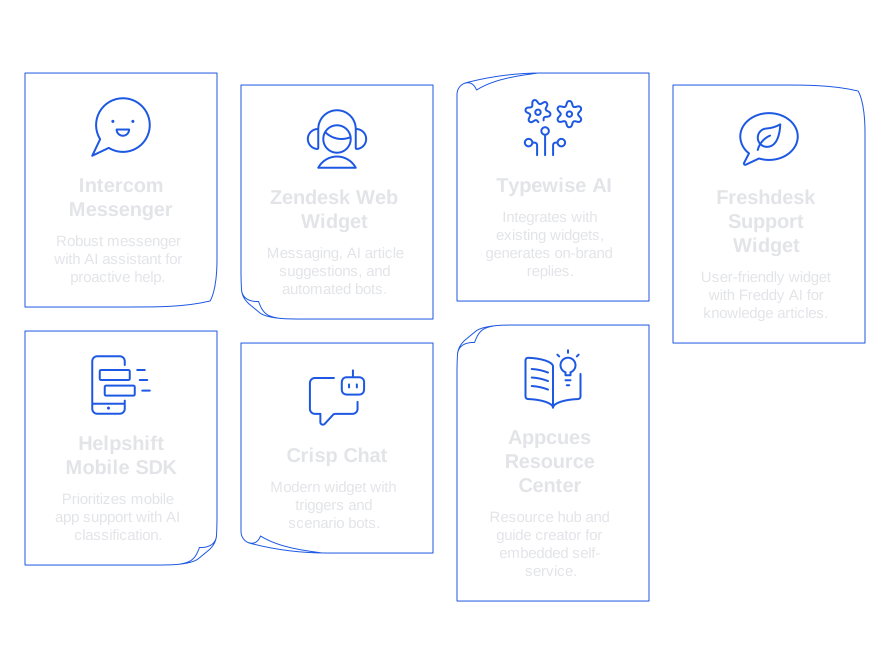
Intercom Messenger with Fin Intercom combines a robust messenger with an AI assistant. Trigger messages based on user segments, events, or feature usage. Its AI-powered tools can read your articles and internal product documentation. Product Tours help guide users right within the app. Intercom is a strong choice if your team wants a unified vendor for chat, email, and in-app messaging.Strengths: Detailed targeting options, polished interface, robust article search. Considerations: Plan costs may increase as you scale; ensure your content remains up-to-date.
-
Zendesk Web Widget and AI Agent Zendesk’s web widget offers messaging, AI-powered article suggestions, and automated bots. The no-code Flow Builder helps you create step-by-step support logic. Its AI agent resolves common queries before seamlessly handing off to human agents when necessary. If you already use Zendesk Support and Guide, adopting this widget keeps changes minimal.Strengths: Tight ticket and macro integration. Considerations: Complex routing setups may need careful planning. Map your triggers to avoid overlaps.
-
Typewise AI within Your Existing Widget Typewise stands out by integrating directly with your current support widget and CRM instead of replacing them. It generates on-brand replies, drafts proactive prompts, and keeps your content consistent across channels. Retain your familiar stack while significantly boosting support quality.Teams can fine-tune the AI to internal product language and release notes. You can train the AI on product terms and limits to ensure correctness. Automated verification checks also help prevent inaccurate replies, especially for sensitive requests.Strengths: Cross-tool compatibility, strong privacy controls, consistent brand voice. Considerations: Effectiveness relies on your existing widget’s targeting, combine with accurate triggers for best results.
-
Freshdesk Support Widget with Freddy AI Freshdesk integrates a user-friendly widget and Freddy AI, which can display knowledge articles or guide users step-by-step. Freddy also helps summarize tickets for agents, providing an efficient price-to-features mix ideal for most teams.Strengths: Easy implementation, excellent at deflecting tickets. Considerations: More intricate enterprise routing may require additional modules.
-
Helpshift Mobile SDK with AI Classification Helpshift prioritizes support for mobile apps and games. Its SDK analyzes app context such as device, OS, and app version. AI classifies issues and recommends actions. In-app FAQs keep users engaged without navigating away. This is an ideal choice for mobile-centric teams.Strengths: Deep mobile context support, handles offline scenarios well. Considerations: Web-focused products may need a separate channel for full coverage.
-
Crisp Chat with Scenario Bots Crisp delivers a modern widget with triggers and scenario-driven bots to handle frequent use cases like password resets or account changes. Its shared inbox ensures team alignment, and small businesses appreciate the quick time-to-value.Strengths: Fast to deploy, affordable for small teams. Considerations: Handling complex knowledge requirements may require more customization.
-
Appcues Resource Center for Embedded Self-Service Appcues isn’t a chat tool but a resource hub and guide creator. Show contextual checklists, educational videos, and articles right within your interface. When paired with an AI writer, Appcues delivers targeted nudges that answer frequent questions, often preventing live chats.Strengths: Excellent for onboarding and feature introductions. Considerations: Pair with live chat for seamless escalation and support handoffs.
Implementation Playbooks for In-App Support Widgets with AI-Driven Proactive Help
- Onboarding gaps: If a user gets stuck during the setup, display a clear one-sentence tip with a brief video guide.
- Feature discovery: Highlight the next step with a concise message right after a user’s first successful action.
- Incident comms: During latency spikes or issues, proactively show a status card with current updates and workarounds.
- Billing friction: When a trial is ending, provide a personalized plan guide based on user activity.
- Churn signals: If usage drops, prompt with a single-question check-in offering two simple reply options.
Equip your AI with well-crafted templates, keep instructions brief and actionable.
trigger: onboarding_stall context: page = integrations/slack, role = owner instruction: Write one sentence. Name the exact button to click. Offer a link if needed. style: concise, friendly, no emojis output: To finish Slack setup, open Settings - Integrations, then select Connect Slack and approve access.
If a reply has financial or privacy implications, add extra verification steps. These safeguards are critical for user protection and brand safety. Get practical tips on how to add verifiers to catch bad support answers.
Measurement and Safety for AI-Enabled In-App Support Widgets
Track message open rate, click-through, and task completion. Observe contact rate by feature. Compare Customer Satisfaction (CSAT) scores between proactive and reactive support channels. Prioritize time-to-first-action over sheer message volume for the most relevant insights.
Test in controlled stages: begin with one feature and a limited user set. Run small-scale, canary tests before extending to your full audience. Keep detailed logs and track support outcomes for audits and continual improvement. Use regular spot checks on sensitive responses, and when operating under Service Level Agreements (SLAs), introduce human reviews and safety checks.
First-response time remains a fundamental metric. Apply proven ways that AI enhances response times, especially within your app’s support flows.
When to Choose Typewise for Proactive In-App Help with Existing Widgets
- You want to elevate reply quality without replacing your current widget.
- Your support cases often involve complex B2B questions and extended threads.
- You require strict privacy standards, complete data control, and consistent brand tone.
- Your team values tailored prompt libraries triggered by product events.
- You're committed to training AI on unique product language and release details.
Typewise is ideal if you prefer evolutionary, not revolutionary, change. It works naturally within your CRM, email, and chat, allowing you to keep familiar workflows. The AI helps draft precise, brand-consistent replies and proactive nudges, leveraging your own content sources and maintaining your unique voice.
Final Thoughts on In-App Support Widgets with AI for Proactive Help
Proactive help is most effective when it feels invisible and intuitive, always starting from user intent, not just technology features. Select the widget and AI solution that aligns with your stage, simplify your messages, rigorously verify key responses, and measure real user impact instead of raw activity volume.
To sum up, if you’re looking for a way to seamlessly integrate AI-powered proactive help directly into your product, rather than relying on disconnected pop-ups, consider Typewise. We invite you to discover our solutions and see how easily they align with your existing stack. Don’t hesitate to start a conversation with our team!
FAQ
What are the main benefits of using AI in in-app support widgets?
AI-driven support widgets streamline support processes, offering precise help instantly based on user context. This reduces friction, avoiding redundant back-and-forths and lowering the pressure on your support team, especially during peak times.
How do in-app support widgets integrate into existing systems?
Integration should be seamless, allowing AI to function directly within your current CRM, ticketing, and product analytics systems. Typewise enhances this by working with existing structures without replacing them, ensuring continuity and compatibility.
What role does data privacy play in AI-enhanced in-app support?
Data privacy is non-negotiable, with AI needing robust privacy controls to protect user data. Typewise ensures high privacy standards are met, maintaining strict data residency options and least-privilege access policies.
Why is consistency in brand voice important for in-app support widgets?
Consistency maintains trust and brand integrity, especially in multilingual contexts. Typewise excels by ensuring AI-generated responses match your brand's tone across channels, reinforcing your identity and user connections.
How can AI help reduce the time to first response in support scenarios?
AI identifies user intent and delivers contextual prompts quickly, significantly narrowing the response gap. Immediate assistance through Typewise’s AI can improve engagement and user satisfaction, setting a high service benchmark.
What factors should be considered when implementing AI-driven support?
Thorough testing and analyzing user interaction history are crucial to tailor responses effectively. Implementation should be gradual, with small-scale evaluations before a full launch, to refine accuracy and usability.
When should a business consider using Typewise for its support needs?
Businesses looking to enhance reply quality without completely overhauling current systems should consider Typewise. It’s particularly useful for complex B2B queries, ensuring consistent brand tone while integrating seamlessly with existing workflows.